
Download Tunk – AI‑Powered Transcription & Translation Software
Introduction: What Is Tunk and Why It Matters
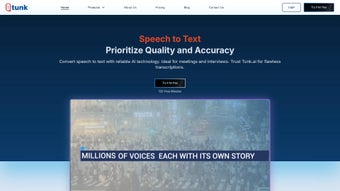
Tunk is a cloud‑based, AI‑driven transcription and translation platform designed for professionals who need fast, accurate, and secure conversion of spoken content into searchable text. By combining forced‑alignment technology, speaker identification, multilingual support, and an intelligent chatbot named Anya, Tunk streamlines the workflow from raw audio or video to polished, analyzable transcripts. The service targets sectors such as finance, legal, customer support, and media production, where precision, confidentiality, and the ability to extract insights quickly are paramount.
While Tunk does not yet provide live, real‑time transcription, its batch processing engine delivers results in minutes with a reported word‑error rate below 5 % on clear speech. The platform’s emphasis on end‑to‑end encryption, GDPR and ISO‑27001 compliance, and role‑based access controls ensures that even the most sensitive recordings stay protected. Whether you are transcribing a courtroom deposition, translating a multilingual interview, or generating subtitles for a corporate video, Tunk offers a secure, scalable, and feature‑rich environment that turns voice data into actionable information.
Key Features that Differentiate Tunk
- Forced Alignment Engine: Precise timestamps align spoken words with the audio timeline, enabling instant navigation within long recordings.
- Speaker Identification: Automatic detection and labeling of multiple speakers, essential for legal depositions and multi‑party calls.
- Extensive Multilingual Support: Transcribes and translates English, Hindi, Tamil, Telugu, Bengali, Marathi, Gujarati, Malayalam, Kannada, and more.
- Anya AI Chatbot: Generates instant summaries, extracts key action items, and answers natural‑language queries directly from the transcript.
- Secure Cloud Storage: AES‑256 encryption at rest, TLS 1.3 in transit, and compliance with GDPR and ISO‑27001 standards.
- Multiple Export Options: Export transcripts as TXT, DOCX, PDF, SRT, VTT, or JSON for seamless integration with downstream tools.
- Batch Upload Capability: Drag‑and‑drop whole video files (MP4, MOV, AVI) without separating audio tracks.
- Analytics Dashboard: Visualize word counts, speaker ratios, sentiment trends, and turnaround times across projects.
Installation & Usage – Getting Started Quickly
Step‑by‑Step Onboarding
Tunk is delivered as a web‑based SaaS solution, eliminating the need for local installation. To begin, visit the official website, click the Sign Up button, and complete the registration form with a business email and a strong password. After confirming your email, choose a subscription tier—Free trial (5 hours/month), Professional, or Enterprise. Once logged in, you land on a clean dashboard where you can create new projects, upload media, and monitor processing status.
Transcribing and Translating Files
To start a transcription, click New Project, then drag your audio or video file into the upload zone. Tunk automatically detects the spoken language(s) and begins processing. Within a few minutes, a fully timestamped transcript appears, complete with speaker labels. For translation, select a target language from the drop‑down menu; the neural translation engine delivers near‑human quality output. The Anya chatbot, accessible from the lower‑right corner, lets you ask questions such as “What are the main takeaways?” or “List all action items,” and receives concise answers in real time.
Best Practices for Maximum Accuracy
- Clear Audio: Minimize background noise and use high‑quality microphones to improve recognition rates.
- Speaker Introduction: Have each participant state their name at the start of a call; this cue boosts speaker‑ID accuracy.
- Language Settings: Manually set the source language for mixed‑language recordings to avoid misidentification.
All changes are saved automatically in the cloud, and you can retrieve past projects at any time. The intuitive interface ensures that even non‑technical users can complete a full transcription workflow in under ten minutes.
Compatibility, Pros & Cons, and Frequently Asked Questions
Supported Operating Systems
Because Tunk runs entirely in modern browsers, it works on Windows 10/11, macOS Monterey and later, Linux (Chrome/Firefox), as well as mobile browsers on Android 8+ and iOS 13+. Native iOS and Android apps are also available for on‑the‑go uploads and review.
Pros
- High Accuracy: AI models achieve >95 % word‑error rate on clean speech.
- All‑In‑One Feature Set: Forced alignment, speaker ID, multilingual translation, and AI summarization in a single platform.
- Robust Security: End‑to‑end encryption, GDPR & ISO‑27001 compliance, role‑based access.
- Scalable Pricing: Free tier for testing, professional plans for freelancers, enterprise options for large teams.
- Zero Installation: Browser‑based access eliminates local setup hassles.
Cons
- No Real‑Time Transcription: Live meetings must be recorded first; Tunk processes files in batch mode only.
- Third‑Party API Dependence: Some language packs rely on external speech‑to‑text services, which may affect latency.
- Limited Custom Vocabulary: Industry‑specific jargon may require manual post‑editing.
- Internet Required: Offline usage is not possible due to its cloud‑native architecture.
Frequently Asked Questions
Can Tunk handle confidential legal recordings?
Yes. Tunk employs AES‑256 encryption for data at rest and TLS 1.3 for data in transit, and it complies with GDPR and ISO‑27001. Role‑based access controls let administrators restrict who can view or edit sensitive transcripts.
What languages are supported for transcription and translation?
Tunk natively supports English, Hindi, Tamil, Telugu, Bengali, Marathi, Gujarati, Malayalam, Kannada, and several other Indian languages. Additional language packs can be added on request.
Is there a free trial or forever‑free plan?
A free trial is available, offering up to 5 hours of transcription per month. After the trial, you can upgrade to Professional or Enterprise plans based on your volume needs.
How does the Anya chatbot enhance the transcript workflow?
Anya can generate instant summaries, extract key action items, answer specific queries (e.g., “What deadline was set?”), and provide sentiment analysis—all directly from the transcript without leaving the platform.
Can I export transcripts as subtitle files for video publishing?
Yes. Tunk supports export to SRT and VTT formats, allowing you to add accurate subtitles to YouTube, Vimeo, or any video player that accepts standard subtitle files.
Overall Rating: 4.5 / 5 – Tunk delivers a powerful blend of transcription accuracy, multilingual support, and AI‑driven insights, making it a top choice for professionals who need reliable, secure, and scalable voice‑to‑text solutions.
Conclusion – Should You Download Tunk?
For teams that prioritize precision, data security, and the ability to extract actionable insights from audio, Tunk stands out as a comprehensive, cloud‑native solution. Its batch processing speed, speaker identification, and the Anya chatbot provide a workflow that turns raw recordings into polished, searchable documents in minutes. While the lack of live transcription may limit real‑time use cases, the platform’s extensive language coverage, robust export options, and strict compliance standards make it ideal for post‑meeting analysis, legal depositions, multilingual content creation, and subtitle generation. The free trial lets you evaluate the service without commitment, and the tiered pricing scales with your organization’s growth. If you need a secure, feature‑rich transcription and translation tool that works across Windows, macOS, Linux, Android, and iOS, downloading Tunk today is a smart investment.
Download Tunk now and experience AI‑enhanced transcription that turns voice into actionable data in minutes.



.png)



